Working example + reusable specification
CSS Shadow Builder AI Prompt
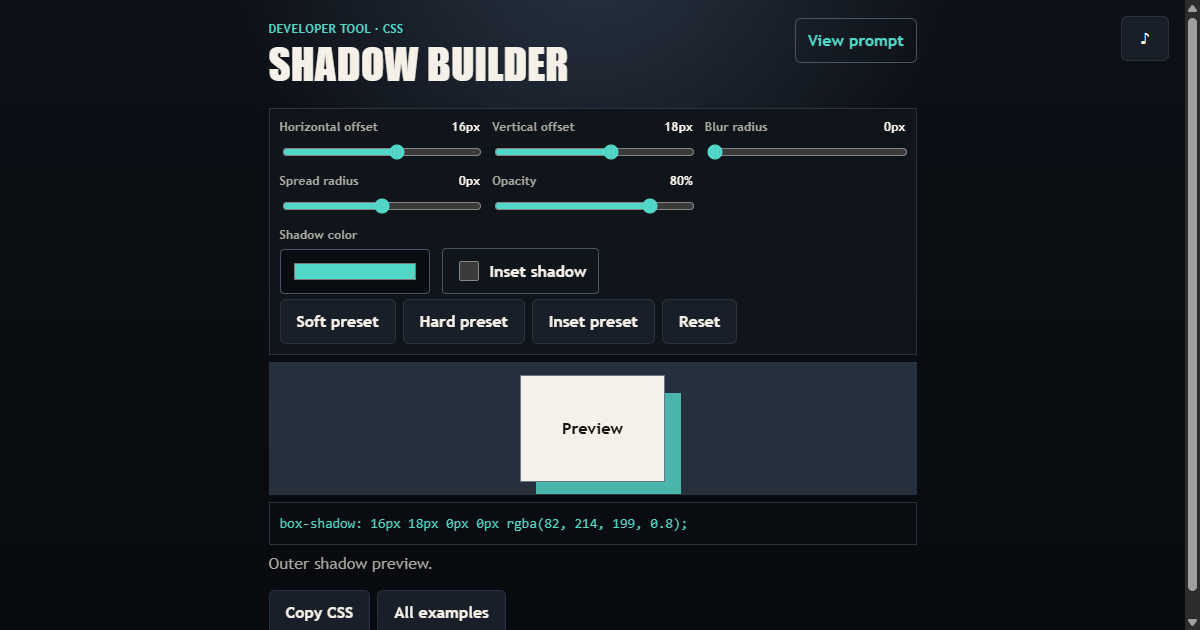
Build a visual box-shadow generator with precise range controls, color and inset options, safe CSS serialization, presets, and shareable URL state.
01 / What it builds
A complete interaction, not a loose concept
Copy a detailed AI coding prompt for a responsive CSS box-shadow builder with live controls, presets, shareable settings, copy output, and tests.
- Offsets, blur, spread, opacity, color, and inset controls
- Stable live preview and exact CSS output
- Soft, hard, and inset presets
- Validated shareable URL state
02 / Complete prompt
Copy the build specification
Project: CSS Shadow Builder

Objective
Build a visual, browser-only CSS box-shadow generator with precise controls, useful presets, a live preview, copyable output, and shareable URL state.

Functional Requirements
- Provide range controls for horizontal offset, vertical offset, blur radius, spread radius, and opacity.
- Provide a native color input and an inset-shadow toggle.
- Show every numeric value with its unit or percentage next to the corresponding control.
- Update a stable preview object and a complete box-shadow declaration on every adjustment.
- Include soft, hard, and inset presets plus a reset action.
- Copy the complete CSS declaration and encode valid settings in the page URL for sharing and reload restoration.

Technical Requirements
- Use semantic HTML, responsive CSS, and vanilla JavaScript with native modules.
- Keep value clamping, hexadecimal color normalization, URL parsing, and CSS serialization independent from DOM and history effects.
- Constrain offsets, blur, spread, and opacity to documented ranges and fall back safely when shared parameters are absent or malformed.
- Store no shadow history or settings in localStorage.
- Send no generated CSS, colors, or numeric settings through analytics; analytics may record only fixed tool identifiers and action names.

Accessibility and Responsive Behavior
- Associate every slider and color control with a visible label and programmatic output value.
- Keep the inset control, presets, reset, copy action, and preview fully keyboard operable.
- Provide visible focus, 44px minimum command targets, reduced-motion compatibility, and no horizontal overflow at 320px.
- Keep the preview dimensions stable while controls change and stack the control grid on narrow screens.

Acceptance Criteria
- The generated declaration reflects offsets, blur, spread, color, opacity, and inset state exactly.
- Numeric values are clamped to safe ranges and malformed colors fall back to a valid default.
- Presets update every control, the preview, generated CSS, and shareable URL together.
- Reloading a valid shared URL restores the same declaration; malformed parameters fall back safely.
- Reset returns to the documented default shadow.
- Automated tests cover normalization, clamping, serialization, URL restoration, live controls, presets, reset, keyboard access, and mobile layout.

Deliverables
- The complete builder as the primary experience, not a landing page.
- Pure shadow-domain logic, a browser controller, and focused automated tests.
- No backend, account, runtime dependency, or local persistence.

Provided by www.my-ai-prompts.com