Working example + reusable specification
Color Contrast Checker AI Coding Prompt
Build a private browser contrast checker with precise WCAG calculations, explicit pass and fail results, synchronized color controls, and safe shareable state.
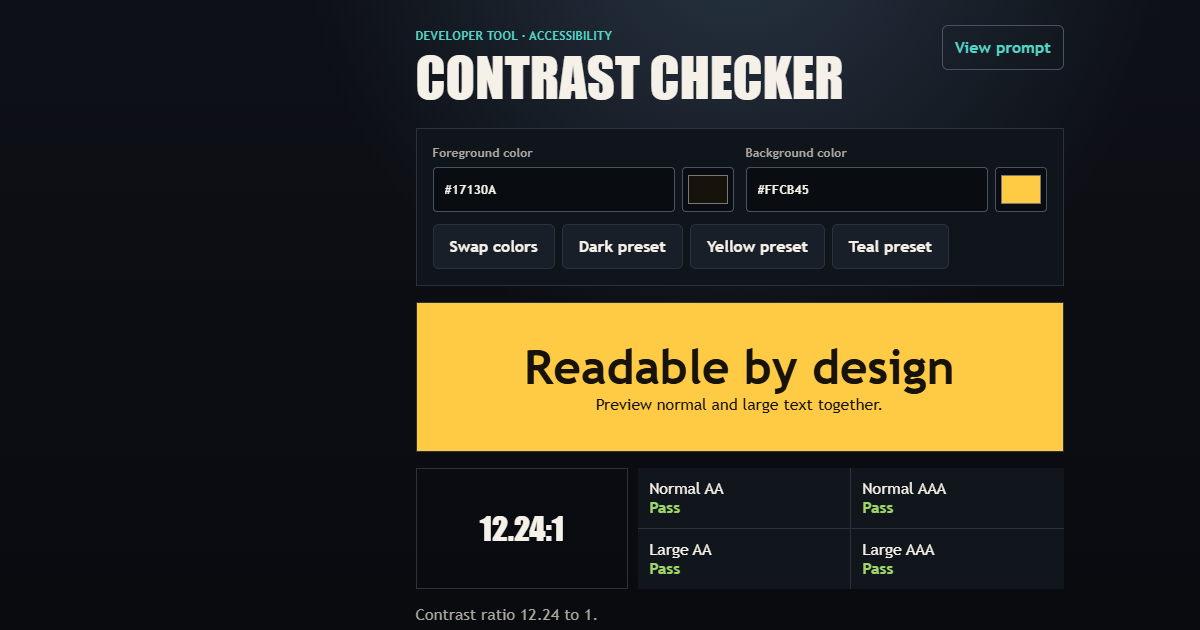
01 / What it builds
A complete interaction, not a loose concept
Copy a complete AI coding prompt for an accessible WCAG 2.2 color contrast checker with live previews, AA and AAA results, shareable colors, and tests.
- WCAG 2.2 luminance and contrast calculations
- AA and AAA results for normal and large text
- Validated color controls and accessible preview
- Shareable color state without persistence
02 / Complete prompt
Copy the build specification
Project: Accessibility Color Contrast Checker

Objective
Build a focused browser tool that compares foreground and background colors against WCAG 2.2 contrast thresholds and explains every result without relying on color alone.

Functional Requirements
- Accept foreground and background colors as opaque six-digit hexadecimal values with synchronized native color pickers.
- Normalize valid values, reject malformed values without replacing the last valid preview, and provide an actionable validation message.
- Calculate relative luminance and contrast ratio using the WCAG formula without rounding before threshold comparisons.
- Report AA and AAA pass/fail results for normal and large text.
- Provide a representative text preview, foreground/background swap, useful presets, result copying, and shareable URL state containing colors only.
- Restore valid shared colors from URL parameters and safely ignore malformed parameters.

Technical Requirements
- Use semantic HTML, responsive CSS, and vanilla JavaScript with native modules.
- Keep color normalization, sRGB conversion, relative luminance, ratio calculation, and threshold evaluation independent from DOM and history effects.
- Store no color history or other state in localStorage.
- Send no entered colors through analytics; analytics may record only fixed tool identifiers and action names.

Accessibility and Responsive Behavior
- Associate every text and color input with a visible label and expose invalid states programmatically.
- Communicate pass and fail using explicit text in addition to color.
- Provide visible focus, 44px minimum targets, live validation feedback, and layouts without horizontal overflow at 320px.
- Preserve usable controls and a stable preview in portrait, short landscape, and desktop layouts.

Acceptance Criteria
- Black on white produces a 21:1 contrast ratio.
- Threshold comparisons use unrounded ratios and match WCAG AA and AAA requirements exactly.
- Invalid input leaves the last valid preview and result intact.
- Swapping colors preserves the ratio while exchanging foreground and background values.
- A valid shared URL restores both colors; malformed parameters fall back safely.
- Automated tests cover normalization, luminance, ratios, threshold boundaries, invalid input, URL restoration, keyboard access, and mobile layout.

Deliverables
- The complete checker as the primary experience, not a landing page.
- Modular domain and browser-controller source with focused automated tests.
- No backend, account, runtime dependency, or transmission of entered colors.

Provided by www.my-ai-prompts.com