Working example + reusable specification
Arkanoid AI Coding Prompt
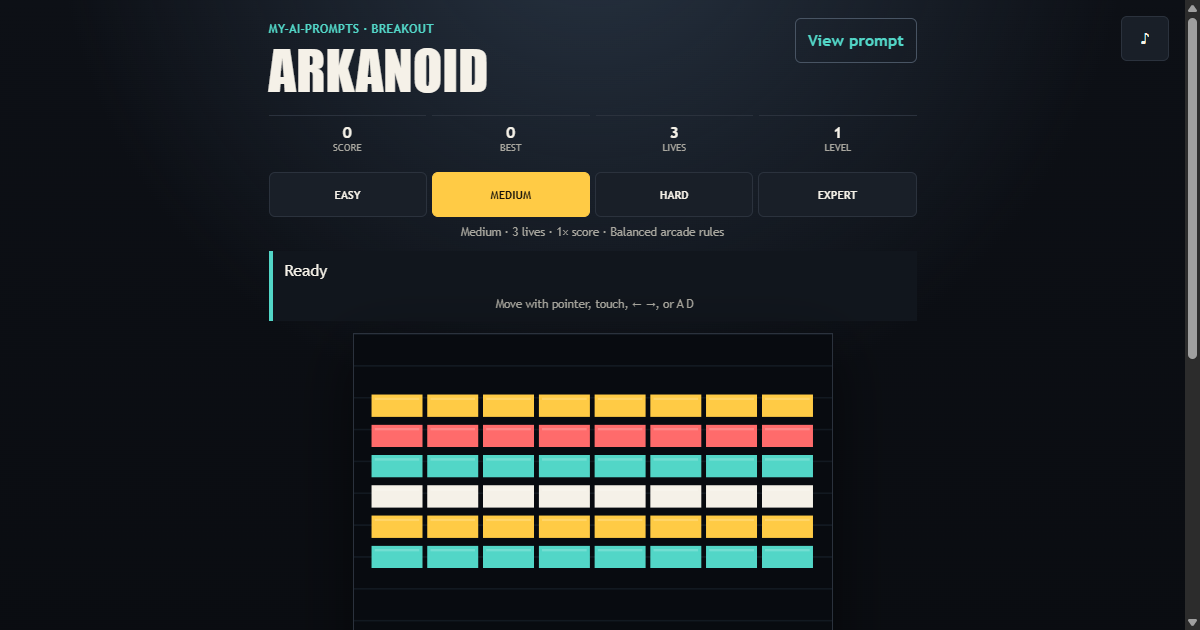
Build a polished brick-breaking browser game with stable Canvas physics, progressive levels, responsive controls, validated high scores, and lifecycle cleanup.
01 / What it builds
A complete interaction, not a loose concept
Copy a detailed AI coding prompt for a responsive Arkanoid game with Canvas physics, four difficulty profiles, touch controls, persistence, and tests.
- Predictable Canvas 2D collisions
- Four balanced difficulty profiles
- Pointer, touch, and keyboard controls
- Levels, lives, scoring, and persistence
02 / Complete prompt
Copy the build specification
Project: Arkanoid

Objective
Build a complete, responsive brick-breaking browser game with predictable physics, progressive levels, and accessible controls across desktop and touch devices.

Functional Requirements
- Provide a paddle, ball, brick wall, score, high score, lives, levels, and clear game phases.
- Include Easy, Medium, Hard, and Expert profiles that vary lives, paddle width, ball speed, and score multiplier.
- Support pointer, touch, Left/Right arrows, A/D, Space, and visible mobile controls.
- Include launch, pause/resume, restart, difficulty selection, and safe navigation away from the game.
- Persist only difficulty and high score; reset transient physics state on reload.

Technical Requirements
- Use semantic HTML, responsive CSS, vanilla JavaScript with native modules, and the Canvas 2D API.
- Separate immutable configuration, frame-level game physics, canvas rendering, and browser input lifecycle into modules.
- Scale a stable logical canvas coordinate system responsively without changing gameplay physics.
- Cancel animation frames, timers, and held-key state when restarting or leaving the game.

Accessibility and Responsive Behavior
- Provide labeled controls, visible keyboard focus, reduced-motion support, and touch targets at least 44px high.
- Keep the play field and controls usable in mobile portrait, mobile landscape, and desktop layouts without horizontal overflow.

Acceptance Criteria
- The ball reflects consistently from walls, the paddle, and intact bricks without tunneling through expected collision boundaries.
- Destroying bricks updates the score; clearing the wall advances the level; losing a ball reduces lives exactly once.
- Leaving the game stops active gameplay and clears held input state.
- Reloading restores only validated difficulty and high-score values.
- Automated tests cover launch, controls, collisions, lives, scoring, level completion, persistence, and lifecycle cleanup.

Deliverables
- The working game as the primary screen, not a landing page.
- Modular application source and focused automated tests.
- No gameplay network dependency.

Provided by www.my-ai-prompts.com